 SuperLiteCache
Simple, Super Fast
Wordpress caching.
A free, non-invasive SuperLiteCache engine that stores the exact page your theme produces. No minification, no JavaScript rewriting, no surprises.

A SuperFast page cache plugin that never breaks your web page
SuperLiteCache was born because most of the page cache plugins in the market are super complicated and under some circumstances may break your site.
The easy to install, configure and deploy Super Lite Cache stores your theme's response verbatim and hands the identical bytes to all visitors — same markup, same whitespace, same script order.
Nothing is parsed, post-processed or optimised on the way out. What your theme rendered is what the browser receives.
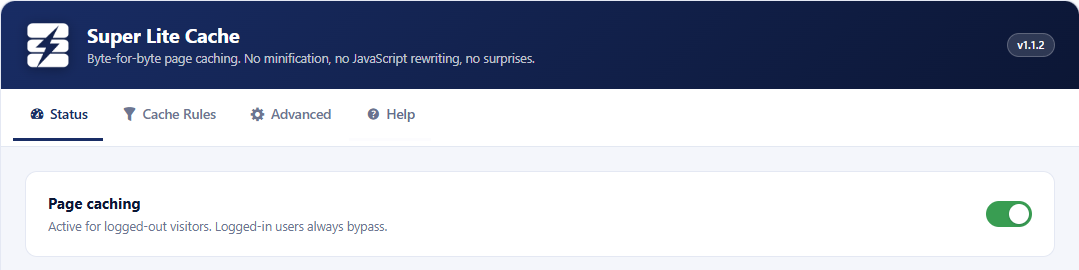
SuperLiteCache does not break your Wordpress theme
Many modern themes and page builders already ship their own caching and asset optimisation. When a general-purpose cache plugin rewrites the same markup, the two layers collide — broken layouts, half-loaded sliders, checkout flows that stall.
SuperLiteCache stays out of that territory entirely. It has no opinion about your assets and no rewriting stage to conflict with, so a theme’s own optimisation keeps working exactly as its authors intended.
To make that guarantee explicit rather than accidental, caching is opt-in per URL pattern. The engine only caches what you list.
You decide what gets cached
Caching is driven by explicit URL patterns instead of guesswork. A sensible default set ships with the plugin and is a good starting point — adjust it to match your store.
Cache these patterns
Only requests matching this list are ever stored and served from cache. You can target the entire site, if you want, by entering only "/*"
- /
- /shop/*
- /product-category/*
- /blog/*
- /page/*
Never cache these patterns
An explicit deny list that always wins over the cache list. These are ignored by default, adjust them as you perfer:
- /cart*
- /checkout*
- /my-account*
- /wp-admin/*
- *?add-to-cart=*
Questions
Will it break my heavily customised theme?
No. SuperLiteCache never parses or modifies your markup — it stores the exact bytes your theme rendered and serves them back unchanged. There is no minifier, no script re-ordering and no asset rewriting, so there is nothing to conflict with your customisations.
My theme already has caching and speed optimization features. Is that a conflict?
No. Theme and page-builder “caching” is almost always asset optimisation — combining, deferring or inlining CSS and JavaScript. Super Lite Cache works one layer above that: it stores the finished HTML response. Because it has no asset pipeline of its own, your theme’s optimisation keeps working exactly as intended.
Are the default URL patterns safe for WooCommerce?
Yes. The default deny list excludes the cart, checkout, my-account pages and add-to-cart requests, and on top of that the engine always bypasses logged-in users and any request carrying a session cookie — regardless of your patterns. Dynamic, per-customer pages are never served from cache.
How does the cache get cleared?
Automatically when content changes — saving a post, page or product invalidates the affected cached entries, which are regenerated on the next visit. You can also purge the entire cache manually from the plugin’s admin page at any time.
Do I need to configure anything to get started?
No. The plugin ships with a sensible default set of cache and deny patterns that works out of the box for typical WordPress and WooCommerce sites. Activate it, and adjust the URL patterns later if your store’s structure differs.
Do I need to remove my current cache plugin?
Yes. WordPress allows only one wp-content/advanced-cache.php, and Super Lite Cache will not overwrite a file another plugin owns — the Status tab will report who has it instead. Deactivate the other plugin first, then save these settings once.
Deactivating is often not enough. Several caching plugins leave their drop-in behind, so check that wp-content/advanced-cache.php is gone and delete it if it is not. Also look in wp-config.php for a leftover define( 'WP_CACHE', … ) line and in .htaccess for a block between that plugin's BEGIN/END markers. The Status tab tells you when the drop-in is still owned by something else.

Get SuperLiteCache
Lightning fast caching for WordPress and WooCommerce